Metrics
Sliplane shows metrics for each database so you can keep an eye on performance and capacity.
Viewing metrics
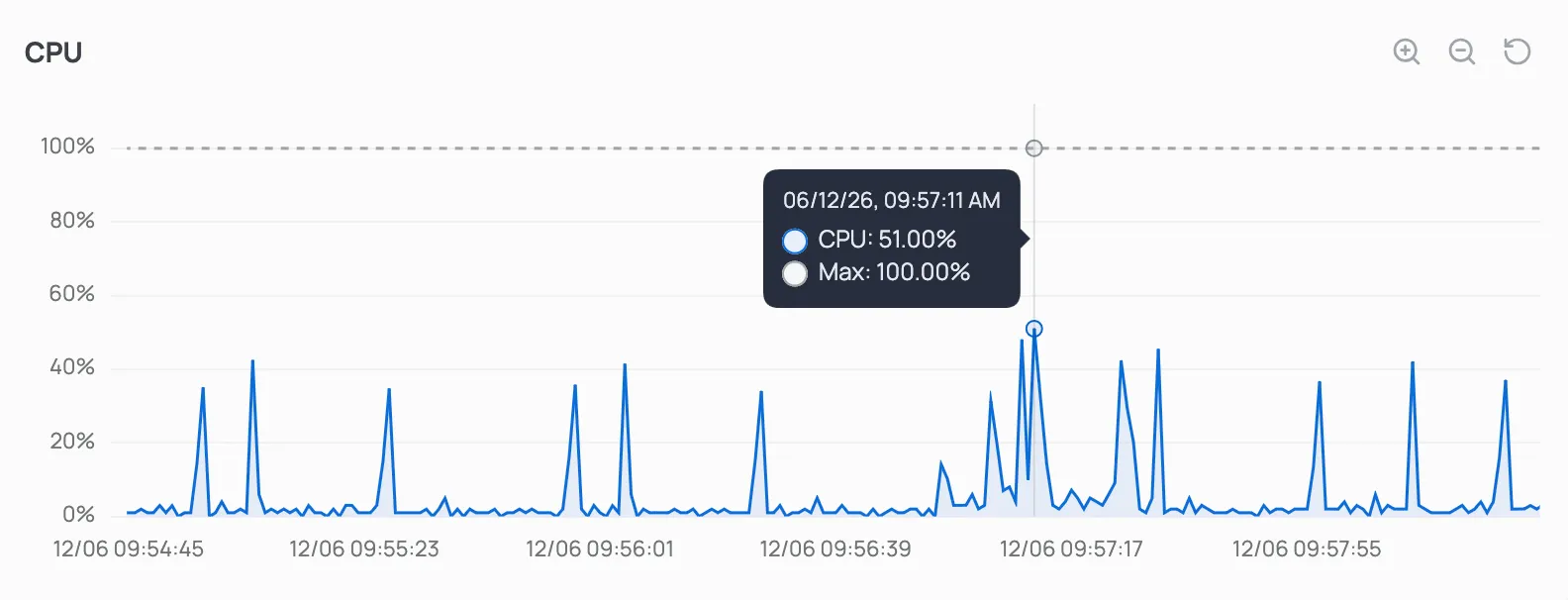
Section titled “Viewing metrics”Open your database in the Sliplane dashboard and go to the Metrics tab. Each chart is interactive: hover to see the exact value at a point in time, and use the controls in the top-right corner to zoom in, zoom out, or reset the view.
Available metrics
Section titled “Available metrics”CPU usage as a percentage of the cores available to your database. Short spikes during queries are normal; sustained high usage is a sign that you should scale up your compute.
Memory
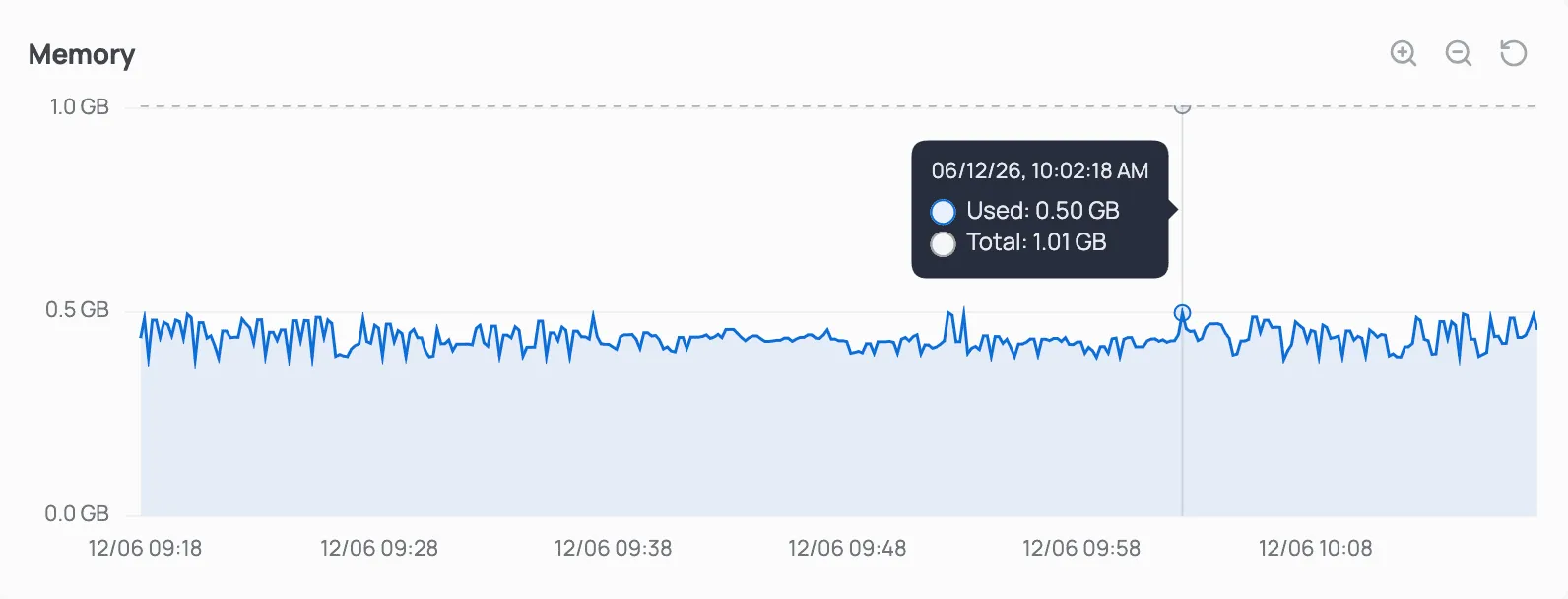
Section titled “Memory”Memory used by your database against the total memory available. PostgreSQL uses free memory for caching, so some headroom is healthy.
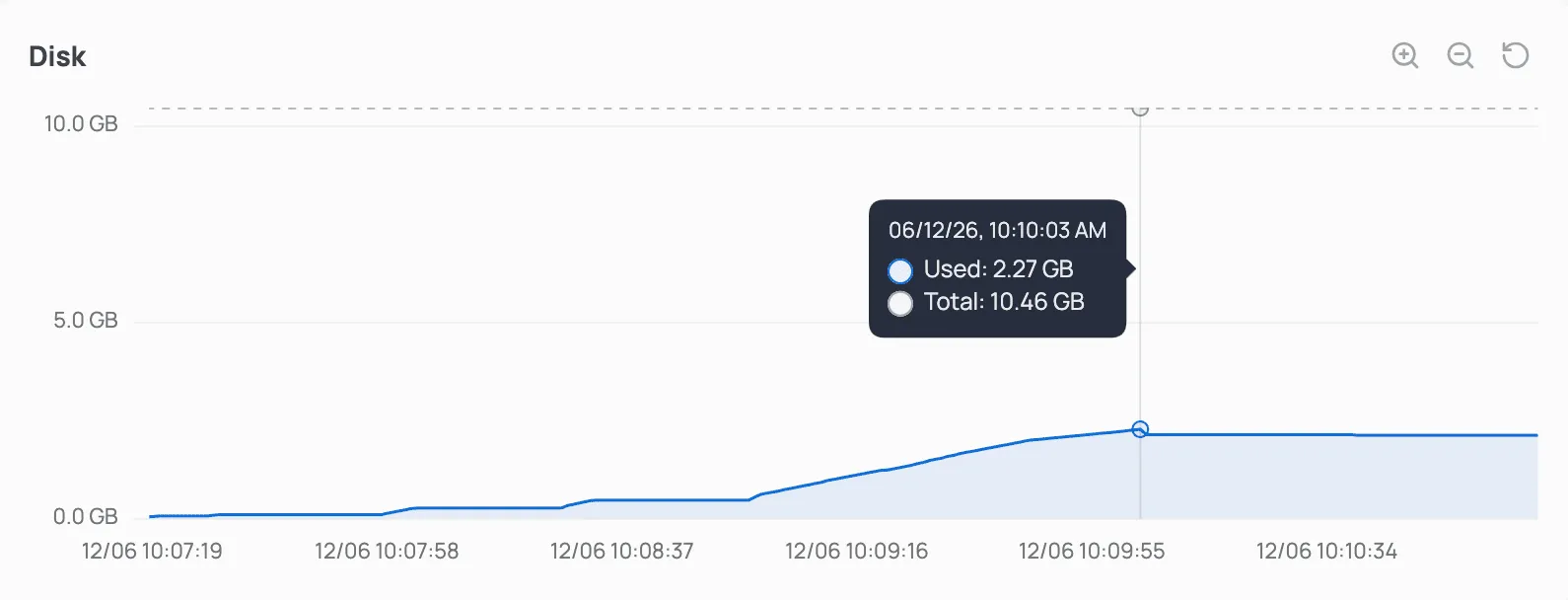
Disk space used against the total volume size. Disk usage only grows as your data and indexes grow, so watch this metric to decide when to add more storage.
Connections
Section titled “Connections”The number of active connections compared to the maximum your database allows. Shared instances allow up to 100 connections and dedicated instances up to 300. If active connections regularly approach the maximum, switch to a dedicated instance to get up to 300 connections.
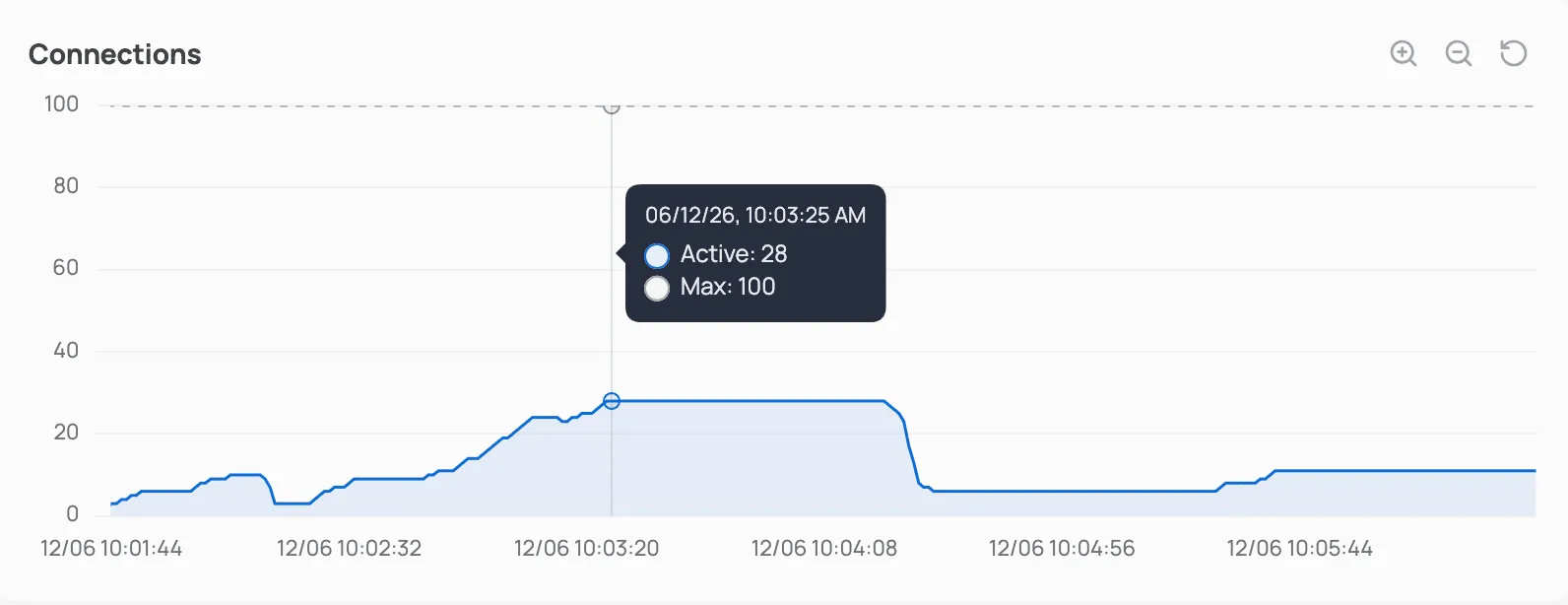
Use these metrics to decide when to scale up your database’s compute or storage. When you’re ready, upgrade with zero downtime. See Pricing for the available sizes.
Query stats
Section titled “Query stats”Query statistics help you find slow and frequently run queries so you can optimize your database. Open your database in the Sliplane dashboard and go to the Query Stats tab.
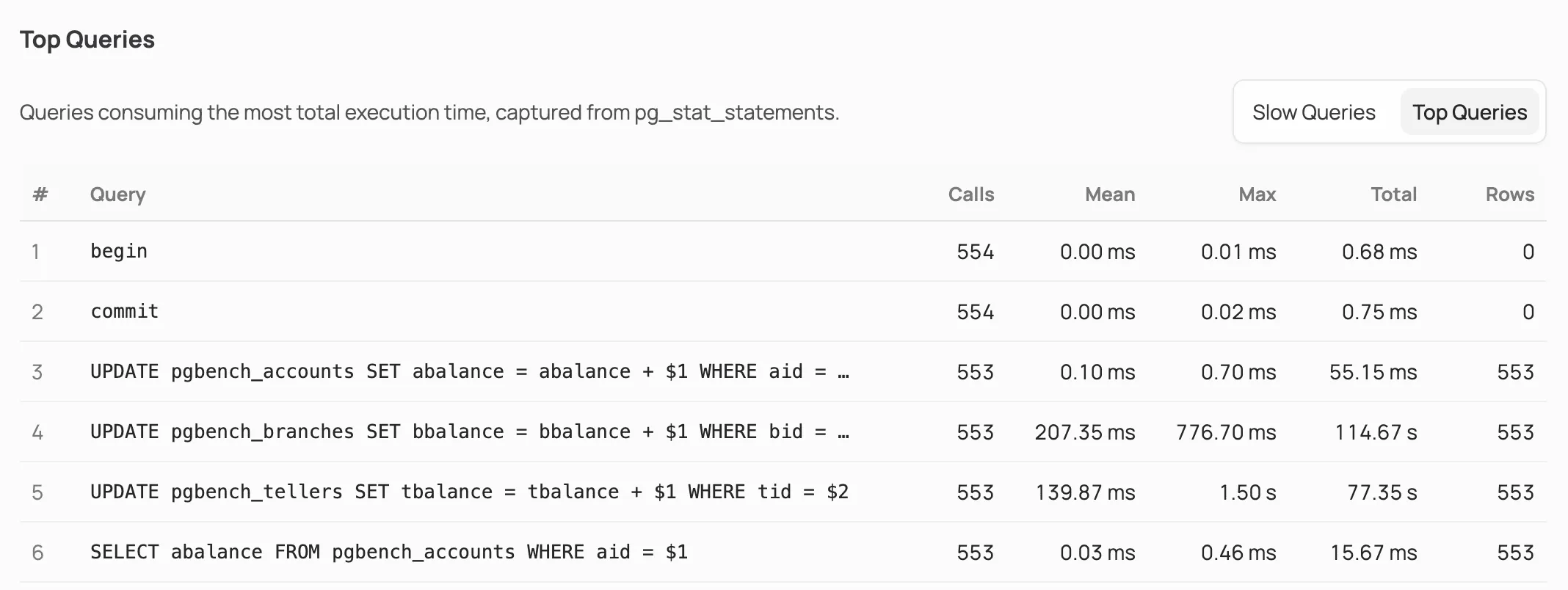
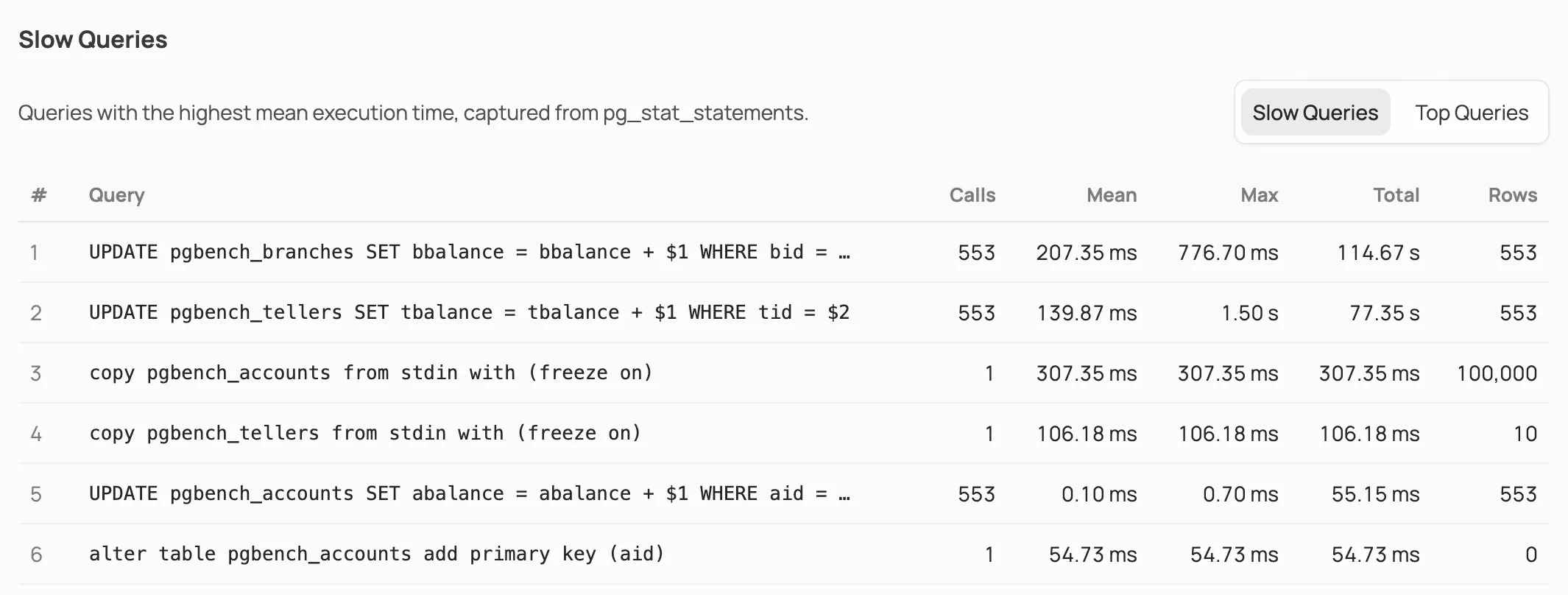
Query statistics are based on PostgreSQL’s pg_stat_statements. Each table shows the number of calls, mean and max execution time, total execution time, and rows returned for every query.
Slow queries
Section titled “Slow queries”Queries with the highest mean execution time.
Top queries
Section titled “Top queries”Queries consuming the most total execution time.