

Connection with Metabase
Metabase is an open-source business intelligence tool for exploring your data, building dashboards, and sharing insights. This quickstart shows how to connect it to a Sliplane database.
Before you start
Section titled “Before you start”Open your database in the Sliplane dashboard and keep the Connection URI handy.
Connect
Section titled “Connect”-
Open Metabase and click Databases in the left sidebar, then click Add a database.
-
Set Database type to PostgreSQL.
-
Fill Connection string with the Connection URI from the dashboard.
-
Enable Use a secure connection (SSL), set SSL Mode to verify-full, and add
sslfactory=org.postgresql.ssl.DefaultJavaSSLFactoryunder Additional JDBC connection string options so the driver validates our certificate against the JVM’s trusted CAs.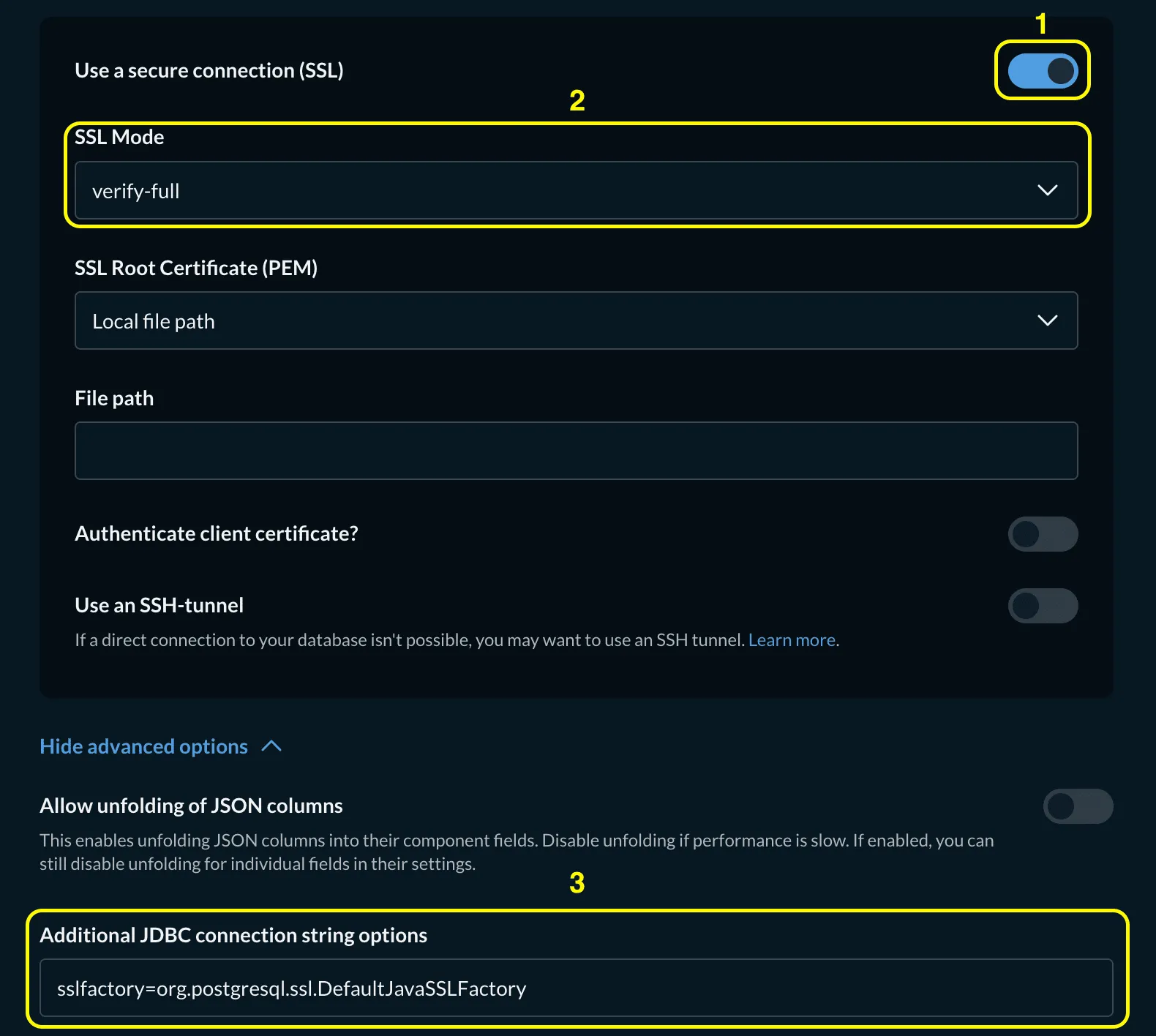
-
Click Save. Metabase connects and begins syncing your database.
You can now explore your tables, write SQL questions, and build dashboards from your data in Metabase.