

Connection with Metabase
Connect to your Sliplane database with Metabase.
Metabase is an open-source business intelligence tool for exploring your data, building dashboards, and sharing insights.
Deploy with the Sliplane preset:
Deploy MetabaseBefore you start
Open your database in the Sliplane dashboard and keep the Connection URI handy.
Connect
-
Open Metabase and click Databases in the left sidebar, then click Add a database.
-
Set Database type to PostgreSQL.
-
Fill Connection string with the Connection URI from the dashboard.
-
Enable Use a secure connection (SSL), set SSL Mode to verify-full, and add
sslfactory=org.postgresql.ssl.DefaultJavaSSLFactoryunder Additional JDBC connection string options so the driver validates our certificate against the JVM's trusted CAs.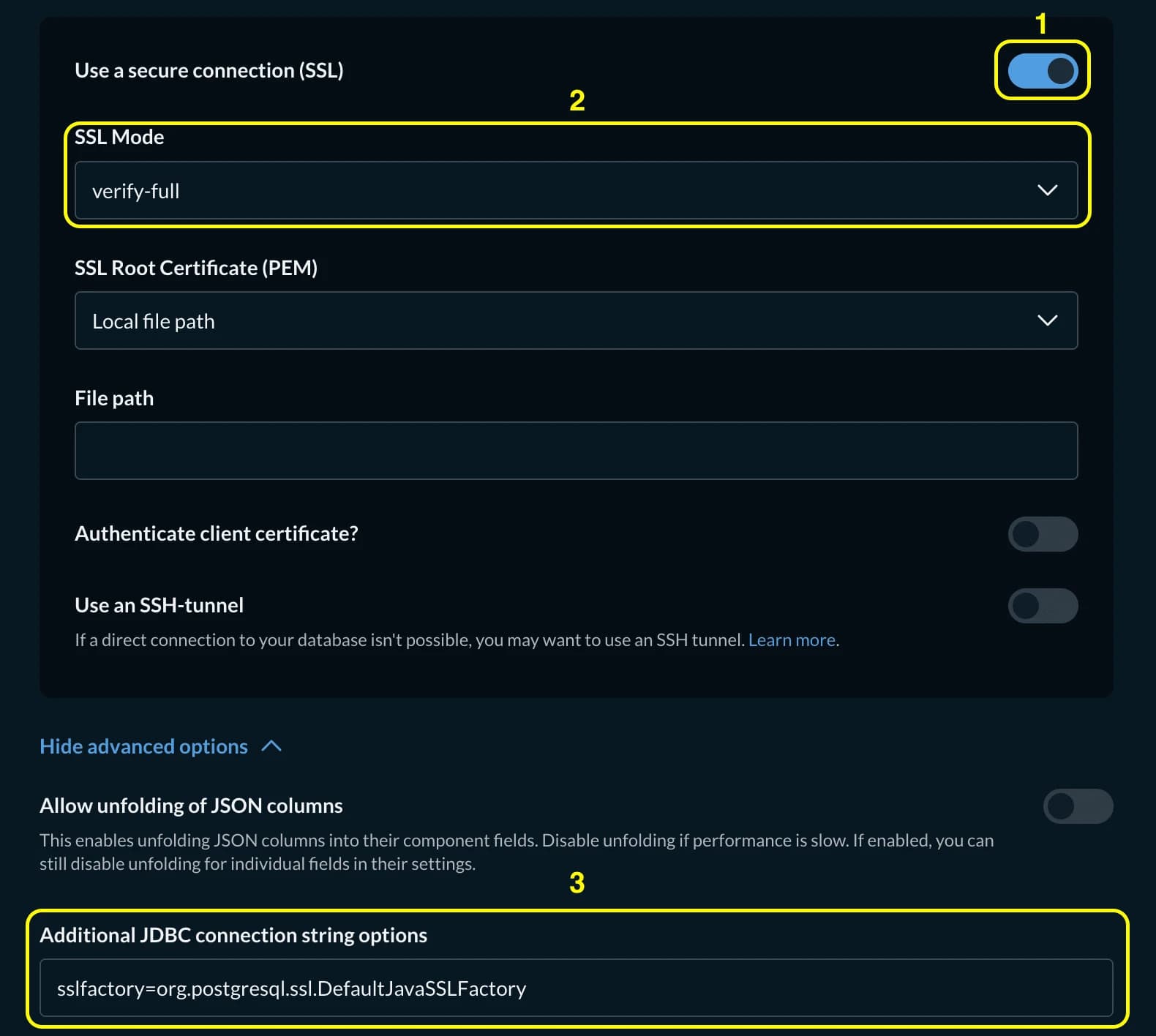
-
Click Save. Metabase connects and begins syncing your database.
How is this guide?