

PostgreSQL databases
Connection with CloudBeaver
Connect to your Sliplane database with CloudBeaver.
CloudBeaver is a browser-based database client from the makers of DBeaver.
Deploy with the Sliplane preset:
Deploy CloudBeaverBefore you start
Open your Sliplane database to find its connection details.
Connect
-
Open CloudBeaver and log in. Click the New Connection button, then choose PostgreSQL.
-
Fill in the connection settings:
- Host - the host from the dashboard
- Port - the port from the dashboard
- Database - the database from the dashboard
- Username - the user from the dashboard
- Password - the password from the dashboard
-
Open the SSL settings, enable SSL, set the SSL Mode to verify-full, and set the SSL Factory to
org.postgresql.ssl.DefaultJavaSSLFactoryso the driver validates our certificate against the JVM's trusted CAs.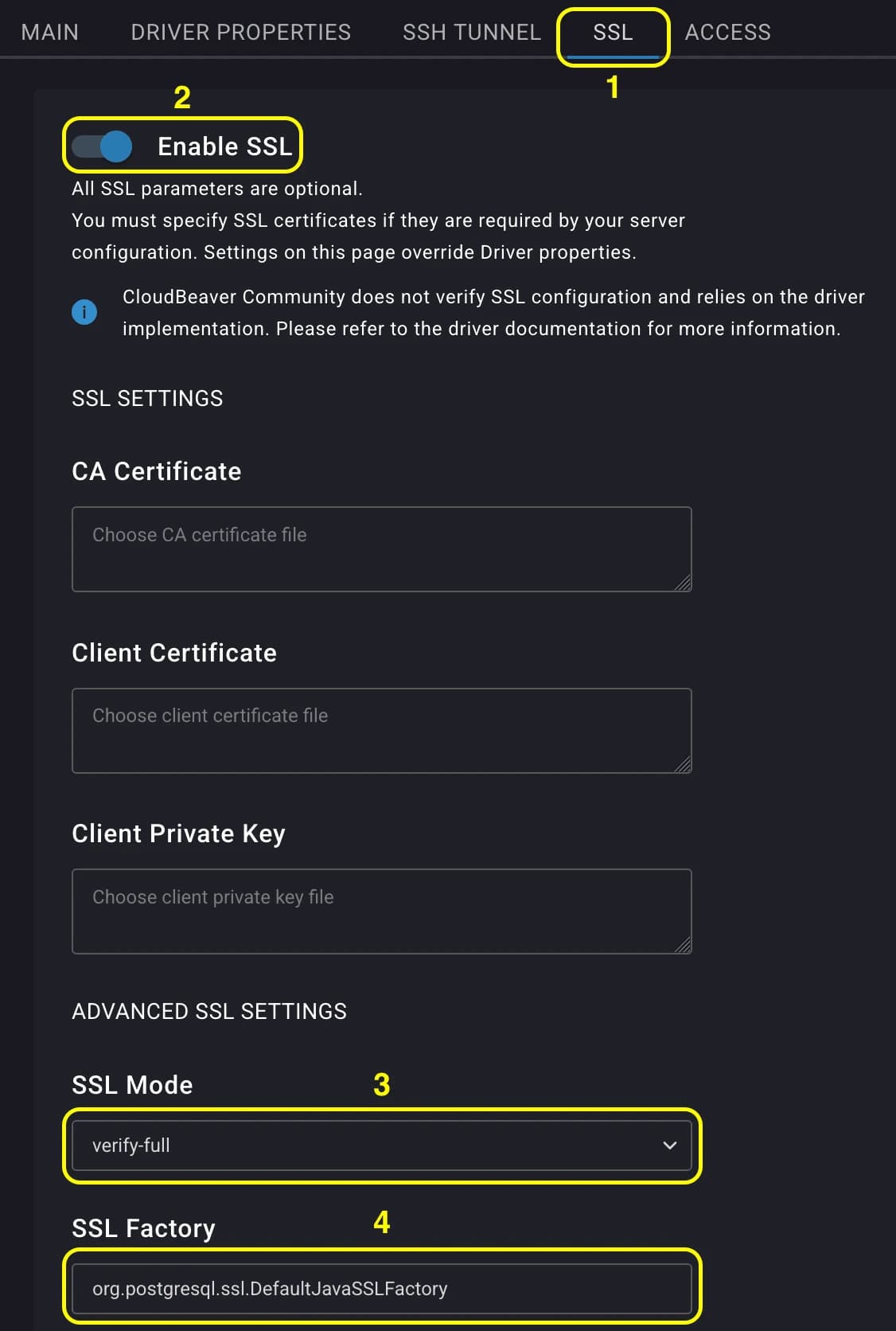
-
Click Test to confirm the details are correct.
-
Click Create. Your database appears in the navigator.
How is this guide?