

Guides & automation
Basic Auth
Secure your apps with basic auth
Add a browser username/password prompt by running your HTTP service privately behind a basic-auth proxy.
Prerequisites
- A Sliplane account
- A private HTTP service that you want to secure with basic auth
Setup
-
Fork the basic-auth-proxy repository
-
Give Sliplane access to your forked repository
-
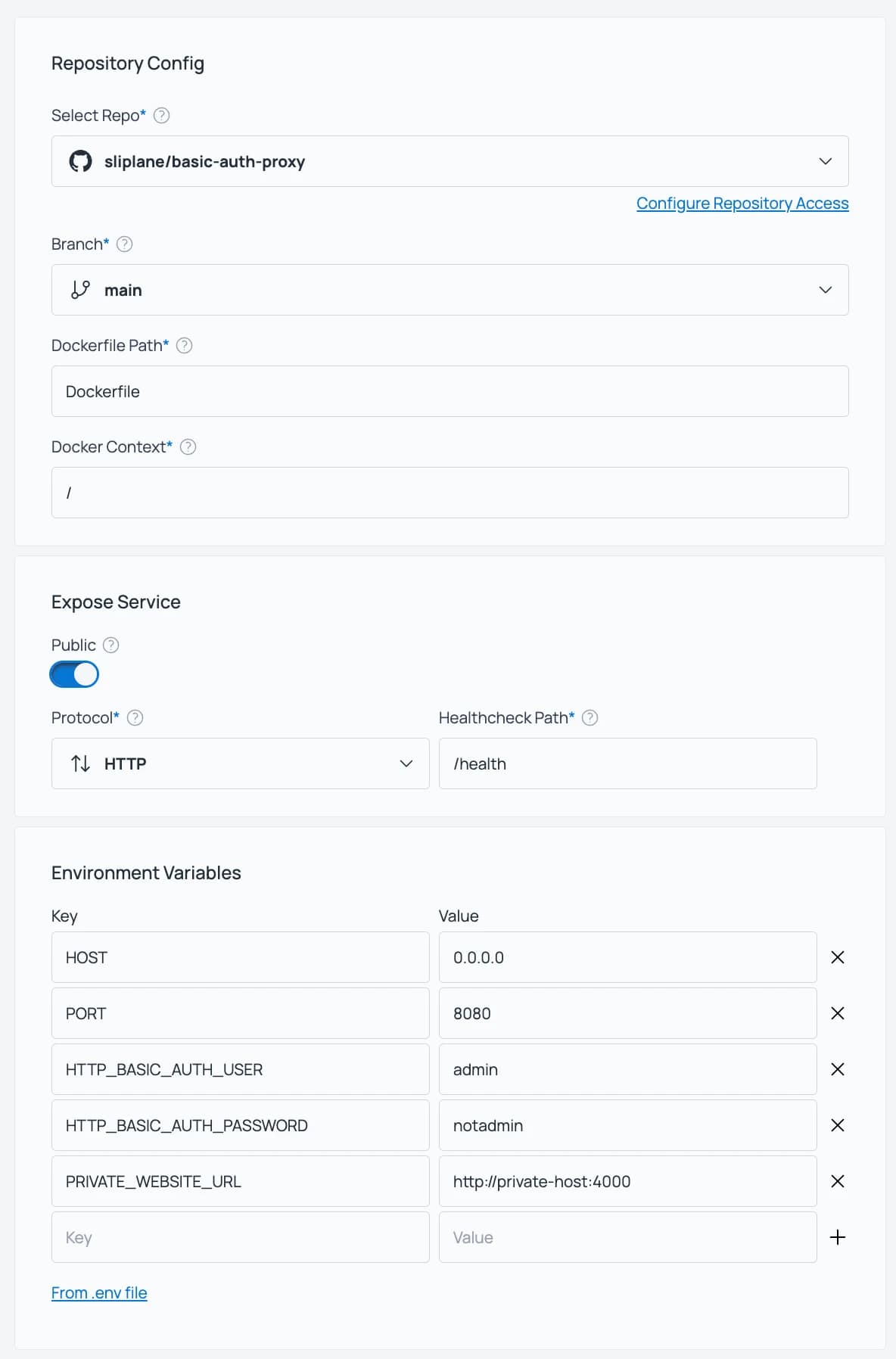
Set the healthcheck to /health
-
Set the following environment variables:
PORT=8080
HTTP_BASIC_AUTH_USER=yourusername
HTTP_BASIC_AUTH_PASSWORD=yourpassword
PRIVATE_WEBSITE_URL=the-url-of-your-private-service, including protocol and port
You can find the private website URL by clicking on the service in the Sliplane dashboard and looking at the URL field.
-
Deploy the service
Open the proxy’s public URL and sign in with the configured username and password.
How is this guide?